Mask, rename, or delete accounts from the connections strip
Opening a connections-strip chip — or Standalone — on the dashboard now shows per-account actions. This is for hiding unused funded accounts and cleaning up file-imported standalone accounts, not a new Connections hub.
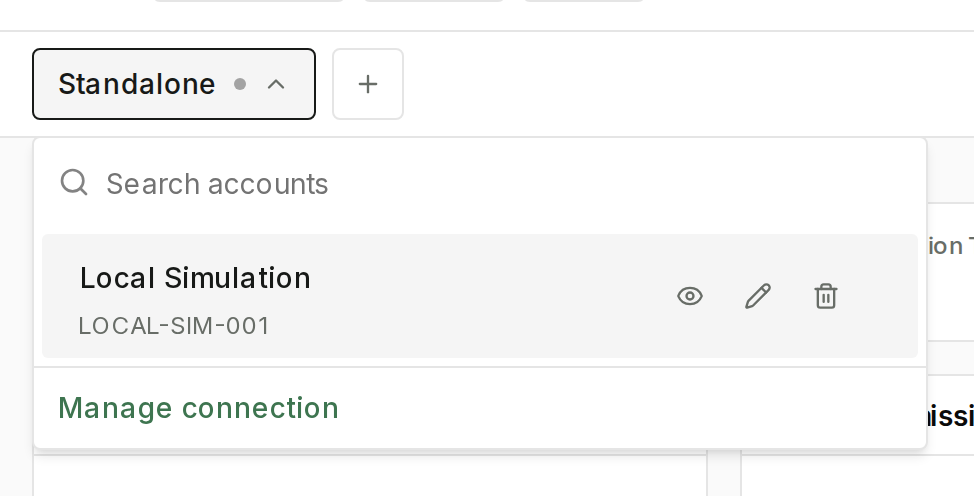
Mask (the eye) / Unmask moves the account into Hidden Accounts. Masked rows are visually muted; only the eye control stays primary. Connected accounts (Tradovate, Rithmic, DxFeed, and similar) can be masked from this row; they cannot be deleted here.
The display name sits above the account number. Rename edits it inline; Save name keeps the change. If mask or rename fails, the strip returns to the previous state.
Delete appears only on standalone accounts. It offers Delete , then a confirm on the strip itself — Delete this account? / This permanently deletes and its trades. / Delete account — so the action can finish after the picker closes. Confirming permanently removes that account and its trades.
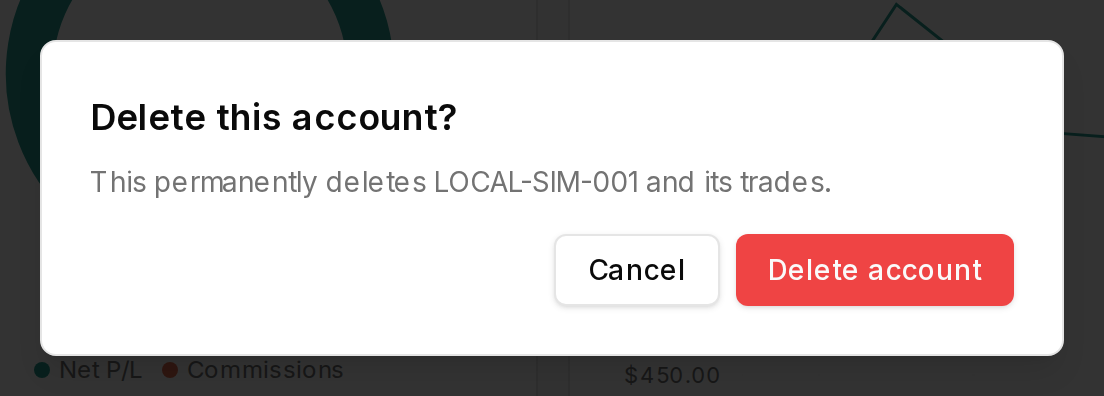
On the dashboard, open a connections-strip chip, mask an account, rename a named account, and — for standalone only — open Delete account, then cancel if you are only checking the dialog.